 Snaptube APK
Snaptube Download: Latest Version 7.65.0 APK (September 2026)
This is the latest Snaptube download: version 7.65.0, built on 2026-08-18, 29 MB, for Android 5.0 (Lollipop) and later. The file is the official release from snaptube.com. We recorded its SHA-256 hash (cf18df14e1ad4c097a9406efd409094cfd42b07771dade129ee47d08b3a32e75), read its manifest and signing certificate, and test-installed it on an Android emulator before listing it. Below: the install steps, how to update without losing your downloads, what we observed in this build, how the Snaptube Player works, and how mirrors such as Uptodown and APKPure compare.
Official build, SHA-256 verified on 2026-09-29. Check it on VirusTotal · Is Snaptube safe?
On this page
The file: version 7.65.0
| App name | Snaptube |
|---|---|
| Version | 7.65.0 (build 76550110) |
| File size | 29 MB (30,409,307 bytes) |
| Requires Android | Android 5.0 (Lollipop) or later |
| Target Android | Android 15 (API 35) |
| Architectures | arm64-v8a, armeabi-v7a |
| Package name | com.snaptube.premium |
| Build date | 2026-08-18 |
| Developer | Mobiuspace |
| Price | Free (optional VIP in-app purchase) |
| SHA-256 | cf18df14e1ad4c097a9406efd409094cfd42b07771dade129ee47d08b3a32e75 |
| Verified on | 2026-09-29 |
One detail worth knowing: the installer that snaptube.com serves is named Click_me_to_install_SnapTube_tube_snaptubecom.apk, and the copy from Snaptube's support site is named the same way with a different suffix. Several people have asked us whether that long name means the file is fake. It does not; it is how the official site names its builds. We serve the identical bytes under the shorter name Snaptube_7.65.0.apk, and the SHA-256 in the table is the same for both, which you can confirm yourself with any hash tool.
There is one APK for phones and tablets; it contains both 64-bit and 32-bit code and Android picks the right one at install time.
How to install the APK
Download the file, open it from the notification or your Downloads folder, allow the source when Android asks, and tap Install. Snaptube opens with a language picker. If a previous version is installed, the same steps update it in place.
Download the APK
Use the yellow button above. The browser saves
Snaptube_7.65.0.apkto your Downloads folder. On a slow connection the 29 MB file takes a minute or two.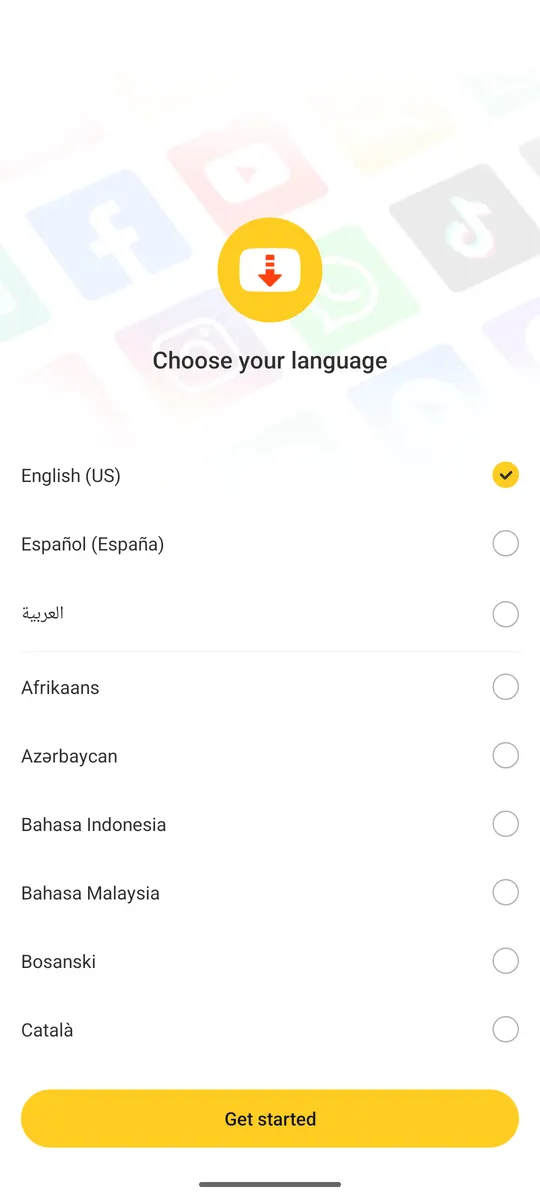
Open the file
Tap the finished download in the notification shade, or open Files, then Downloads, and tap the APK. Android shows a screen saying your phone is not allowed to install unknown apps from this source.
Allow the source
Tap Settings on that screen, switch on Allow from this source, then go back. This permission is per app: allowing Chrome does not allow every app on the phone to install packages.
Install and handle Play Protect
Tap Install. Google Play Protect scans the file and may show a caution because the app is not from Play; choose Install anyway. If it instead says the app is harmful, stop and compare the SHA-256, because that means you did not get the official file.
Open Snaptube
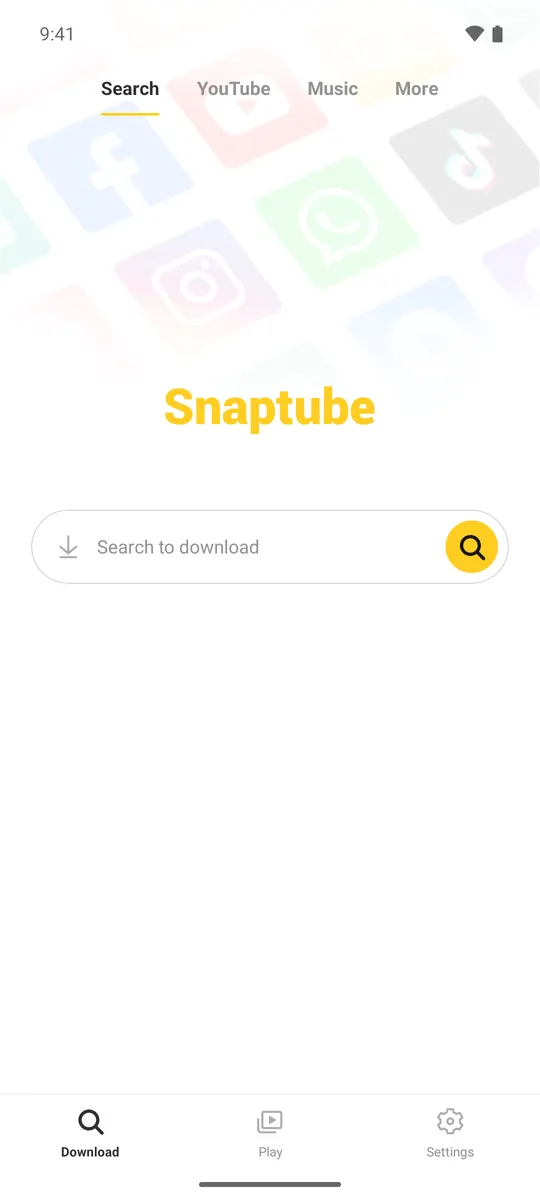
Choose a language and decide whether to allow notifications (they show download progress). You land on the Download tab with the search bar. That is it; no login is required.
On Android 11 and newer, Snaptube asks for All files access the first time you download (we saw this prompt on the emulator). Grant it once and it does not return. Android 10 and older phones get the regular storage permission prompt instead.
How to update to the latest version
Install the new APK over the old one. Android recognises the same package name and signature and performs an update, keeping your downloads, playlists and settings. Do not uninstall first unless the installer refuses with a signature error, which only happens if the existing copy is a modified build.
There are two ways to update Snaptube. Inside the app, the Settings tab has an update entry that checks the developer's servers and offers the new build. The second way is manual: download the current APK from this page and install it. The manual route is useful when the in-app check says you are up to date but the version number here is higher.
- Check your current version in Settings (Snaptube also shows it on the About screen).
- Compare with 7.65.0, the version on this page. Lower means you can update.
- Download the APK and open it. The installer says Update instead of Install when it detects the existing app.
- Tap Update, wait, then open Snaptube. Downloads in progress resume from where they stopped.
If the installer says the app was not installed or that the package conflicts with an existing package, the copy on your phone was signed with a different key, which is what modified APKs do. Back up your snaptube folder, uninstall the old app, and install the official file. The MOD APK page explains why this happens.
What changed in 7.65.0 and recent versions
We add a row within two days of a new release, after running the same checks described on the about page.
| Version | Period | Verified here? | Notes |
|---|---|---|---|
| 7.65.0 (current) | 2026-08-18 | Yes: 29 MB, Android 5.0 (Lollipop)+ | Targets Android 15 (API 35). Ships arm64-v8a and armeabi-v7a. First launch shows a language picker followed by the Android 13+ notification prompt. Bottom navigation is Download, Play and Settings. Download sheet groups Music (Fast, Classic MP3) and Video (Fast 360p, High quality 720p, More formats). |
| 7.63.0 | July 2026 | No | The build Uptodown listed before 7.65. |
| 7.4x (7.45 to 7.49) | 2025 to 2026 | No | Version numbers people search for with 'old version'. Listed in the archive. |
| 6.x | 2022 to 2024 | No | The series most third-party stores still list. |
| 5.x | 2020 to 2021 | No | 5.07 remains the most requested old version. |
Snaptube does not publish release notes, and we do not invent them: the Notes column records only what we observed in a build we tested.
The built-in player (Snaptube Player)
The Play tab in Snaptube 7.65.0 is the built-in player for the files you download: it plays video, keeps music playing with the screen off and can float over other apps. This is what people mean by Snaptube Player or Snaptube music player. It is part of the same APK, not a separate download.
Two of the permissions in the current build exist for the player: the foreground media playback service keeps audio running in the background, and the overlay permission draws the floating mini player over other apps. Downloaded MP3 and M4A files also show up in any other music app on the phone, because they are ordinary files in the snaptube folder.
If you mainly want music, the Music tab above the search bar returns audio results, and every download sheet has a Music section with Fast (M4A) and Classic MP3 options. The first-download walkthrough is in the guides.
Uptodown, APKPure, APKMirror and other mirrors
Uptodown, APKPure, APKMirror, Softonic and FileHippo all list Snaptube. They are established stores, but a listing can lag behind the official version, come wrapped in the store's own installer, or be an XAPK bundle instead of a plain APK. Whichever source you use, the package name must be com.snaptube.premium and the hash should match a published value.
| Source | What you get | Things to check |
|---|---|---|
| snaptube.com (official) | Plain APK, newest build | The file name is long but the file is right. This site mirrors it with the hash published. |
| Uptodown | Plain APK, usually current within days | Check the version number against the one above. Uptodown also offers old versions, useful for the archive. |
| APKPure | APK or XAPK bundle | An XAPK needs the APKPure installer app; prefer the plain APK entry. Confirm the developer is listed as Snaptube/Mobiuspace. |
| APKMirror | Plain APK, signature verified | Good for old versions. Only lists builds whose signature matches the developer's key. |
| Softonic, FileHippo | Often a download manager first | Common in searches for Snaptube for PC. Read the installer screens; decline extra offers. |
| Random "snaptube mod" sites | Modified APK | Different signature, no updates, and the usual source of adware. Covered on the MOD page. |
Not on Google Play: what that means
Snaptube has never been listed on Google Play, so installing from an APK is the normal route for this app, and the apps called Snaptube that you find on Play are unrelated lookalikes. The reasons, and what sideloading means for security, are on the why Snaptube is not on Google Play.
Download or install problems
- App not installed. Usually low storage or an interrupted download. Delete the APK, free 100 MB, and download again. If it persists and an older Snaptube is present, it is a signature mismatch: uninstall the old copy.
- There was a problem parsing the package. The phone runs an Android release older than 5.0, or the download was cut short. Check the file size against the table above.
- Play Protect blocked the install. Play Protect flags apps installed outside Play. Tap More details, then Install anyway. If it names a specific threat, do not proceed; compare the SHA-256.
- Downloads stay at 0%. Grant storage permission in Android's app settings, then retry. On Android 11+ the permission is All files access.
- The video is not available for download. The source site changed something and Snaptube needs an update. Install the current APK from this page; if it still fails, the site is one Snaptube does not support.
More fixes, including downloads stuck at converting, are in the guides hub, along with the Instagram and TikTok how-tos.
Questions about the download
What is the latest version of Snaptube?
Snaptube 7.65.0 (build 76550110), compiled on 2026-08-18, is the latest official version as of September 2026. It is the file on this page.
Is the Snaptube download free?
Yes. The APK is free and the app is free to use. Snaptube VIP, which removes ads, is an optional purchase inside the app.
Do I need to uninstall the old version before updating?
No. Installing the new APK over the old app updates it and keeps your files. Uninstall first only if the installer reports a signature conflict, which means the old copy was a modified build.
Can I download Snaptube on a PC or iPhone?
The APK only runs on Android. On Windows or Mac you can run it inside an Android emulator; see Snaptube for PC. On iPhone there is no version; see Snaptube for iOS and the iPhone options among the alternatives.
Why does Chrome warn me the file can harm my device?
Chrome shows that message for every APK downloaded outside the Play Store, regardless of the app. It is not a detection. The hash and VirusTotal link above let you verify the file yourself.
Does Snaptube still work in 2026?
Yes. Snaptube 7.65.0 was built in August 2026 and downloaded a test video from YouTube search on our emulator in September 2026. When a site changes its pages, downloads from that site can fail until the next Snaptube update, which is why keeping the app current matters.
How big is the Snaptube APK?
29 MB (30,409,307 bytes) for version 7.65.0. Older versions are smaller; the 5.x builds were under 20 MB.