 Snaptube for Android · official build
Snaptube APK: Free Video and Music Downloader for Android
Snaptube is a free Android app that downloads videos and music from YouTube, Facebook, Instagram, TikTok, WhatsApp status and more than 50 other sites. It is not on Google Play, so you install it from an APK file. The file on this page is the official Snaptube 7.65.0 release from snaptube.com, checked by SHA-256 and test-installed on an Android emulator before we listed it.
Official build, SHA-256 verified on 2026-09-29. Check it on VirusTotal · Is Snaptube safe?
- Free
- No sign-up
- YouTube · Instagram · TikTok · Facebook
- MP4 · MP3
Independent site, not the developer. Read the disclaimer and how we verify builds. get-snaptubeapk.com
On this page
APK file details
| App name | Snaptube |
|---|---|
| Version | 7.65.0 (build 76550110) |
| File size | 29 MB (30,409,307 bytes) |
| Requires Android | Android 5.0 (Lollipop) or later |
| Target Android | Android 15 (API 35) |
| Architectures | arm64-v8a, armeabi-v7a |
| Package name | com.snaptube.premium |
| Build date | 2026-08-18 |
| Developer | Mobiuspace |
| Price | Free (optional VIP in-app purchase) |
| SHA-256 | cf18df14e1ad4c097a9406efd409094cfd42b07771dade129ee47d08b3a32e75 |
| Verified on | 2026-09-29 |
Every number in that table comes from the file itself. We read the package with Android's own build tools, so the version, the minimum Android release and the hash describe the exact APK you get from the button above, not a marketing page. When Snaptube ships a new build, this table and the download page change first, and the previous file moves to the old version archive.
What is Snaptube?
Snaptube is a free Android video downloader made by Mobiuspace. You search or paste a link inside the app, pick a resolution or an audio format, and the file is saved to your phone for offline viewing. It covers YouTube, Facebook, Instagram, TikTok, WhatsApp status and dozens of other sites; Snaptube VIP removes the ads.
The app has been around since 2014 and grew mostly in India, Brazil, Indonesia and the Middle East, places where mobile data is metered and people would rather watch a video three times from storage than stream it three times. That is still the main reason to use it: you download once, on Wi-Fi, in the quality you choose, and the video lives in a normal MP4 file that any player can open.
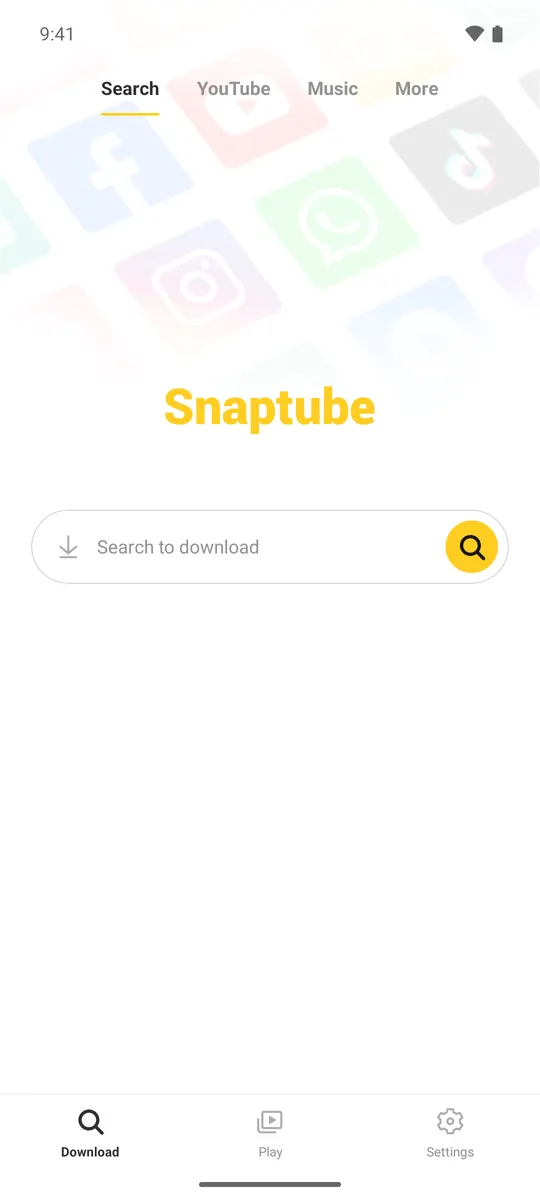
Snaptube works differently from a browser bookmarklet or a website downloader. It is a full app with its own search, its own downloads manager and a built-in player, so the whole flow happens in one place. You do not copy links between apps unless you want to.
The app's package name is com.snaptube.premium. The word premium there is the developer's internal name; it does not mean the free app is a trial.
Features that matter in daily use
50+ supported sites
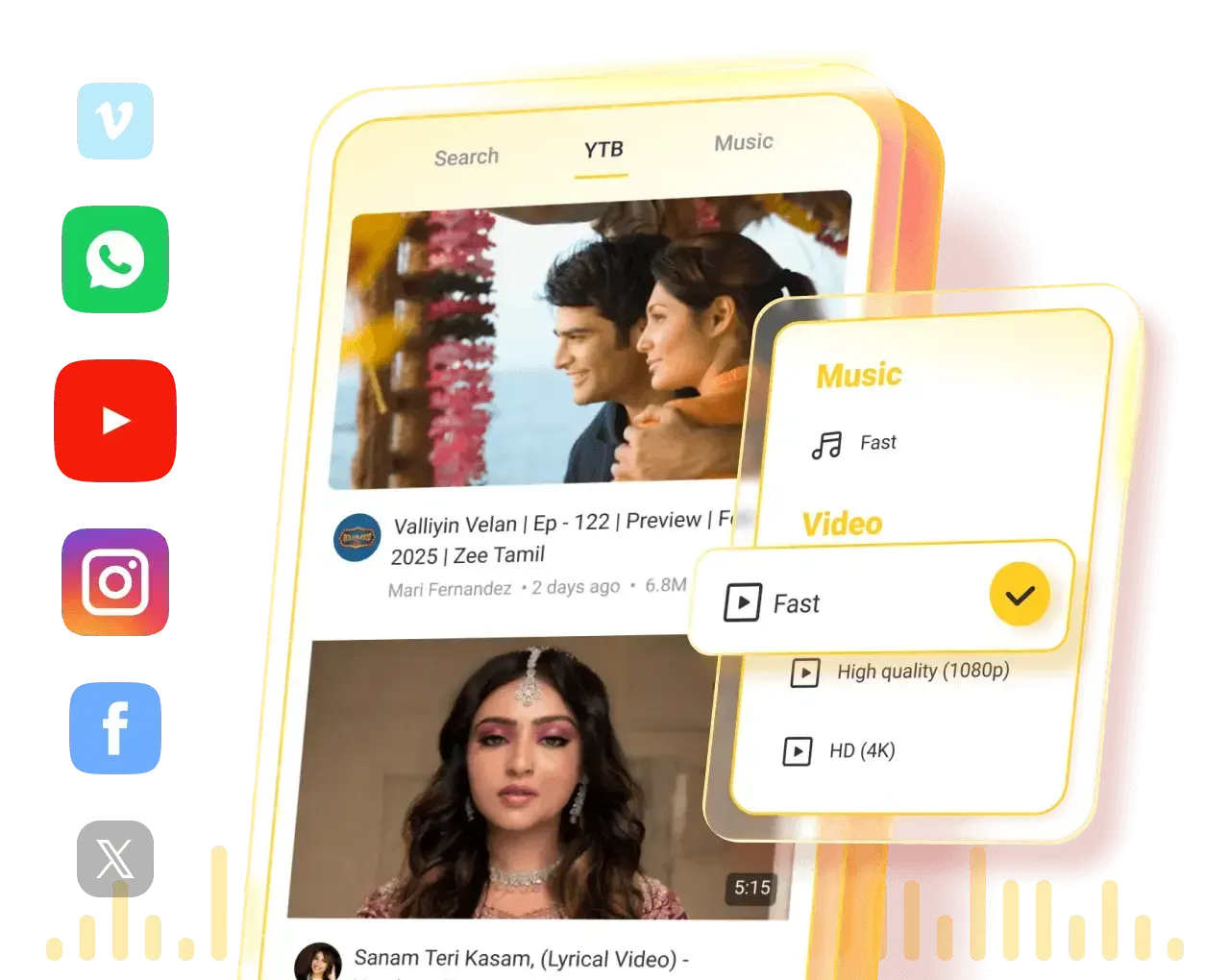
YouTube, Facebook, Instagram, TikTok, WhatsApp status, X, Vimeo, Dailymotion, SoundCloud and regional video sites, all from one search bar.
Pick the resolution
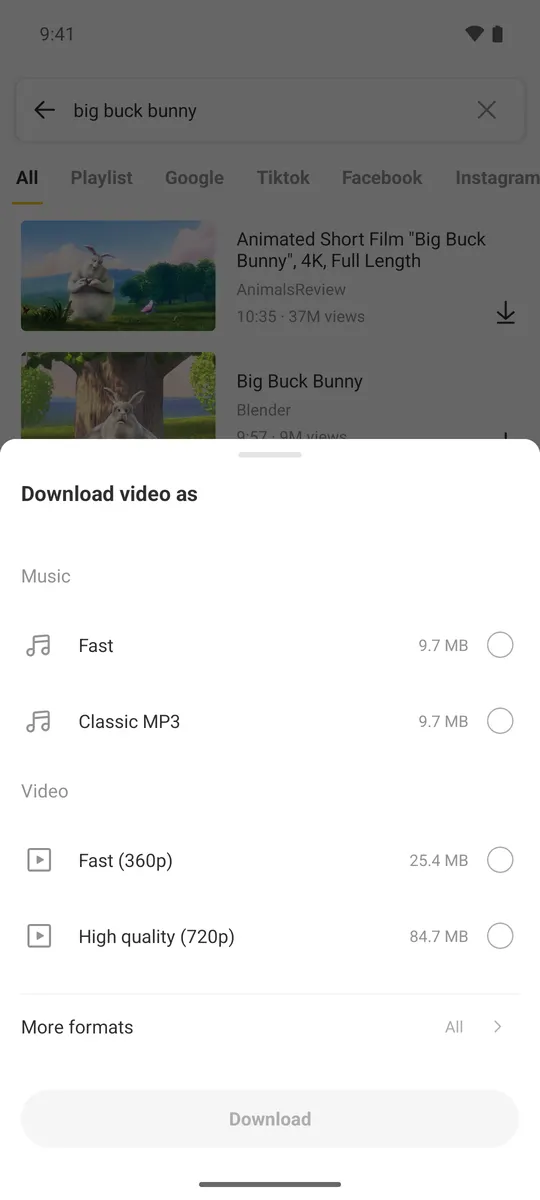
Choose from 144p up to 720p, 1080p, 2K and 4K where the source offers it, so a tutorial can be small and a film can be sharp.
MP3 and M4A audio
Save only the audio track of a video as MP3 or M4A, which is what most people mean when they search for the Snaptube music downloader.
Built-in player
The Snaptube Player plays downloads and music in the background and in a floating window, so you can keep scrolling while a video plays.
Background downloads
Start a download and let it finish while the screen is off. Downloads run through a foreground service, which is why the app asks for that permission.
Instagram, TikTok and WhatsApp
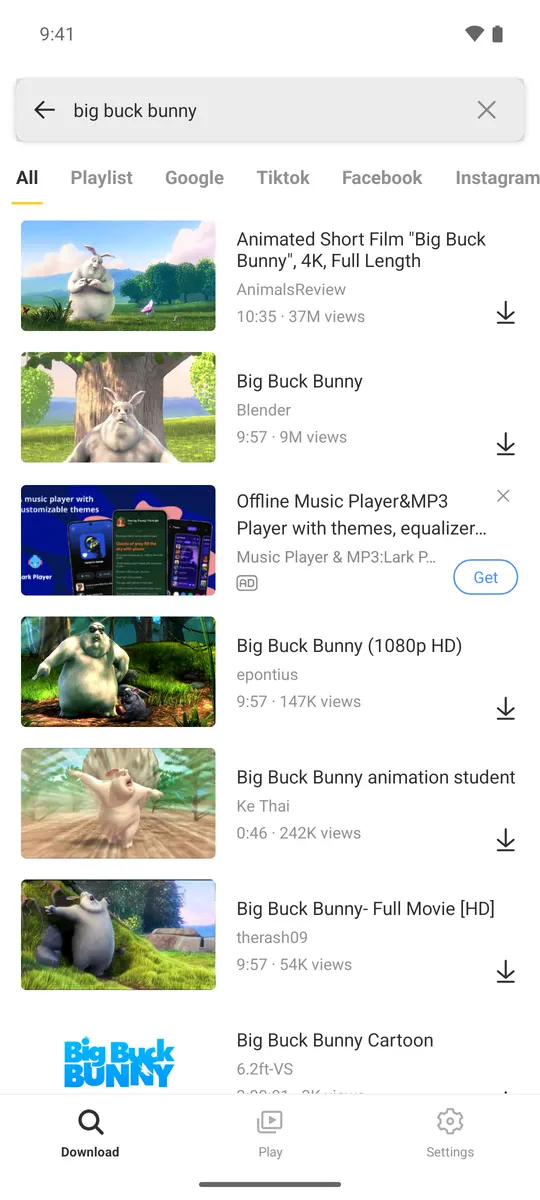
Search results have Instagram, TikTok and Facebook tabs, and pasted links from those apps open the same download sheet. WhatsApp status saving is built in.
Light on storage
The APK is 29 MB and installs on Android 5.0 (Lollipop) or newer, so it runs on budget phones from many years back.
Free, with an ad-free option
The app is free and shows ads. Snaptube VIP, sold inside the app, removes them and adds the extras listed on its VIP screen. You do not need a modified APK for that.
What the app looks like
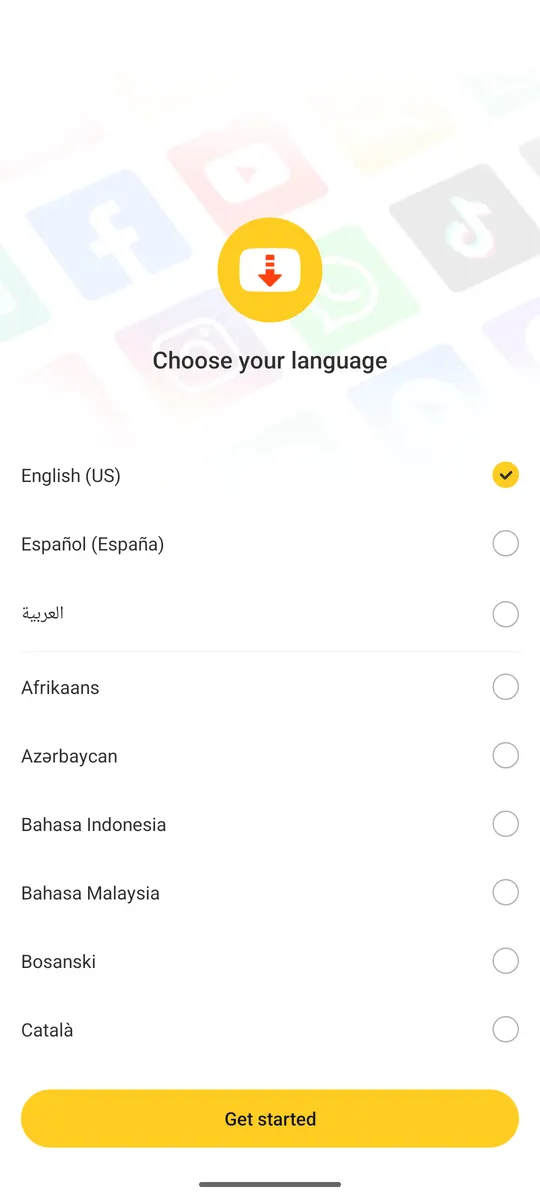
These screenshots are from Snaptube 7.65.0 running on an Android emulator during our test, not from the store listing.
Install Snaptube in three steps
Download the APK, allow your browser to install unknown apps when Android asks, then open the file and tap Install. Snaptube opens with a language picker; no account is needed. The whole process takes about a minute. The full walkthrough, including Play Protect prompts and updating over an old version, is on the the full install walkthrough.
- Open the download page and tap the download button. Your browser saves
Snaptube_7.65.0.apk(29 MB) to Downloads. - Open the file from the notification, allow installs from this source when asked, and tap Install.
- Open Snaptube, pick a language, and search or paste a link to download your first video.
Current version: 7.65.0
Snaptube 7.65.0 (build 76550110) was compiled on 2026-08-18 against Android 15 and ships both 64-bit and 32-bit ARM code. Version history and what we observed in each build we tested are on the the changelog; every older file is listed in the archive.
Is Snaptube safe to install?
The official Snaptube 7.65.0 APK from snaptube.com installed cleanly and behaved like a normal downloader on our emulator test. It asks for storage, notification and overlay permissions, plus a few package-related permissions that are unusual for a video app. The risk comes from modified or repackaged copies on random sites, not from the official build.
In 2019 the security firm Upstream reported that a third-party advertising SDK bundled in Snaptube generated fraudulent clicks in the background. Snaptube said it removed that SDK. That episode is why so many people still ask whether the app is safe, and it is a fair question, so we wrote it up properly: the safety page lists every permission in the current build, explains what each one does, and links the VirusTotal report for the exact file we host.
- Only install APKs whose SHA-256 you can compare with a published value. Ours is in the table above.
- Do not install "Snaptube" apps from Google Play. They are lookalikes; the real app is not on Play.
- Skip modified builds that promise VIP for free. They are the usual way malware reaches phones through this app's name. More on the MOD APK page.
Using it on PC, iPhone and older phones
Snaptube is an Android app. It has no Windows, Mac or iOS build, but each of those has a workable route, and the pages below are honest about what does and does not work.
How it compares with other downloader apps
Snaptube sits in the middle of the Android downloader market: broader than the YouTube-only tools, simpler than the open-source ones. The table compares the apps people most often weigh against it. A longer list with a verdict for each use case is on the alternatives page.
| App | Sites | Max quality | Audio only | Ads | Where to get it |
|---|---|---|---|---|---|
| Snaptube | 50+ (YouTube, FB, IG, TikTok, WhatsApp) | Up to 4K where offered | MP3, M4A | Yes (VIP removes) | APK from official site |
| VidMate | Similar range, strong on Indian sites | Up to 4K | MP3 | Yes | APK from official site |
| TubeMate | YouTube focused | 1080p, 4K on newer builds | MP3 via plugin | Yes | APK from official site |
| NewPipe | YouTube, PeerTube, SoundCloud, Bandcamp | Up to 4K | M4A, WebM | No | F-Droid, GitHub (open source) |
Questions people ask before installing
Is Snaptube free?
Yes. The app is free to download and use. It shows ads, and an optional Snaptube VIP subscription inside the app removes them. There is no paid version to buy elsewhere.
Why is Snaptube not on the Google Play Store?
Because Google Play does not list apps that download from YouTube. Snaptube has always been distributed as an APK from its own website, and any "Snaptube" you find on Play is a different app using the name. The explanation of why Snaptube is not on Google Play has the detail.
Does Snaptube work on iPhone or PC?
Not directly. There is no iOS app and no Windows program. On a PC you run the Android app inside an emulator such as BlueStacks; on iPhone you use a browser-based downloader or an iOS-native alternative. See our PC guide and iPhone guide.
Is downloading videos with Snaptube legal?
Downloading a video for your own offline viewing is legal in most countries, but it can break the terms of service of the platform you download from, and downloading copyrighted content to redistribute it is not legal anywhere. Snaptube was not named in India's published app-blocking orders and is not banned elsewhere as far as we can find. Details are on the the legal status section.
Where does Snaptube save downloaded videos?
By default in Internal storage, in a folder named snaptube, with separate subfolders for video and audio. You can change the location in the Settings tab, and every downloaded file also appears in the app's Play tab.
Can Snaptube download in 4K or 1080p?
Yes, when the source video is available in that quality. The download sheet lists every resolution the site offers, from 144p up to 4K, plus MP3 and M4A audio options.